


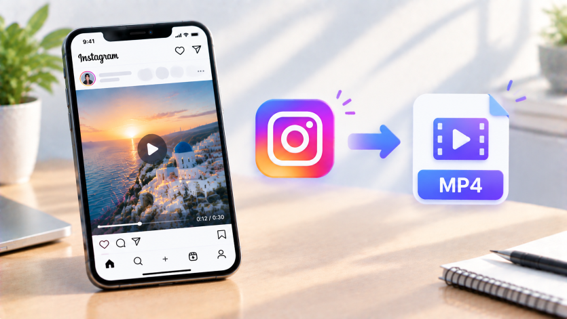
Whether you want to archive your own content, keep a Reel for reference, or build a swipe file of trending formats, here are five tools worth knowing, tested for how clean the output actually is.
Most of these work the same basic way, paste a link and get a file back, but the differences show up in resolution limits, ad load, and how many other Instagram content types each one bothers to support. Knowing those differences upfront saves you from settling for the first result that shows up in a search.
1. Snapgram MP4 Video Converter
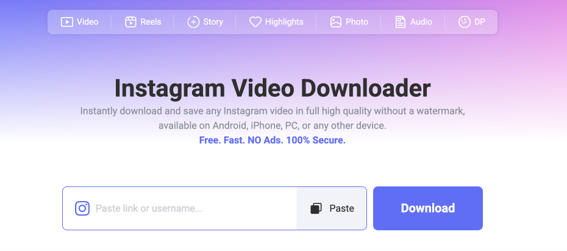
Snapgram is a web-based Instagram video downloader that converts any public video, Reel, or post into a clean MP4 file, pulling the source directly from Instagram's servers rather than recreating it through a screen capture. Because it works this way, there is no Instagram branding to strip out in the first place, and no quality loss from re-recording a phone screen.
Supported OS: Works in any browser on Android, iPhone, Windows, Mac, and Linux, with no app install required.
Standout Features:
HD/4K Resolution Selection: Choose the quality you want rather than being stuck with whatever the tool defaults to.
Batch Downloading: Save multiple videos from the same profile without repeating the process for each one.
Audio Extraction: Pull just the sound track as a separate file when you only need the audio, not the video.
No Watermark or Login: Delivers the file exactly as posted, with no Instagram credentials ever requested.
How to Convert Instagram into MP4 in HD?
Open the Reel or video in Instagram, tap the share icon or three dots, and select Copy Link. Go to Snapgram's instagram to mp4 page in your browser, paste the link into the input box, and select your preferred resolution if a choice is offered. Tap Download, and the clean MP4 saves straight to your device, ready to play offline or share.
2. FastDL
FastDL is a well established browser based downloader covering videos, photos, Reels, Stories, and IGTV, built around a simple paste-and-download flow that has stayed consistent across its various versions over the years. It's one of the more recognizable names in this category, which comes with the tradeoff of having several similarly branded mirror sites floating around.
Supported OS: Works on any device with a modern browser, including PC, Mac, iPhone, Android, and tablets.
Standout Features:
Multiple Content Types: Handles video, photo, Story, Reels, and IGTV from one interface.
Original Source File: Fetches the file directly from Instagram's servers rather than re-encoding it.
No Registration: Fully anonymous, with no account or login required at any point.
Limitations: Quality tops out around 1080p on most versions of the tool, and some mirrors of the FastDL name carry more ads than others, so results can vary depending on which specific FastDL domain you land on.
3. INDownloader
INDownloader is a browser based Instagram converter that covers a broad range of Instagram content types in one place, from standard posts to video and audio extraction, aimed at users who want a single tool for everything Instagram related. Its feature list is one of the more extensive among the free options covered here.
Supported OS: Runs in the browser on PC, tablet, iPhone, and Android.
Standout Features:
Wide Format Coverage: Downloads MP4 video, photo, Story, Reels, Highlights, IGTV, and audio.
Original Quality Preserved: Delivers the highest quality Instagram makes available rather than a compressed copy.
Instagram Profile Viewer: Includes an anonymous viewing option alongside the download tools.
Limitations: The wide feature set means the homepage can feel a bit busy compared to a single-purpose tool, and private content access is handled through a separate linked page rather than the main downloader itself.
4. Trndinn
Trndinn is a newer, ad-light Instagram Reel to MP4 converter built with a minimalist, no-clutter approach, positioning itself specifically against ad-heavy competitors in the space. As a newer entrant, it leans heavily on its clean interface as the main selling point over the more established names on this list.
Supported OS: Fully browser based, working on iPhone, iPad, Android, Mac, Windows, Chromebook, and Linux.
Standout Features:
No Ads: A cleaner interface than most competitors in this category.
Multiple Link Formats: Accepts Reel, Reels, and standard post URLs interchangeably.
Fast Extraction: Processes most links in under three seconds, with caching for repeat downloads.
Limitations: Several companion tools, including Story and photo downloaders, are still listed as coming soon, so it currently focuses mainly on Reels and video rather than covering every Instagram content type.
5. ReelsVideo
ReelsVideo is a multilingual online Instagram converter covering MP4 video, photo, Stories, IGTV, and audio, with a dedicated anonymous Story viewer built into the same site. The tool operates region-specific versions of its site to serve users in their own language.
Supported OS: Works across iOS, Android, Windows, and macOS through Chrome, Safari, Firefox, or Edge.
Standout Features:
Multilingual Interface: Available in over a dozen languages, useful for non-English speaking users.
Built-In Story Viewer: Browse public Stories anonymously without leaving the site.
Unlimited Downloads: No daily cap on how many files you can save.
Limitations: Video quality tops out around 720p according to the tool's own FAQ, noticeably lower than competitors offering 1080p or 4K, which matters if you plan to repost the clip somewhere quality sensitive.
Bonus: How to Bulk Download Instagram as MP4 in UHD?
Many Instagram to MP4 converters only handle one video at a time, creating friction for users who need to save multiple files in high quality. This is where Snapgram’s bulk Instagram downloader helps. Instead of manually copying and pasting individual URLs, users can enter a public Instagram username and access available photos, videos, Reels, Stories, Highlights, and carousel posts from that profile in one place. Batch-downloaded MP4 files are automatically removed from the service’s servers within a few hours, ensuring that downloaded content does not remain stored after use.
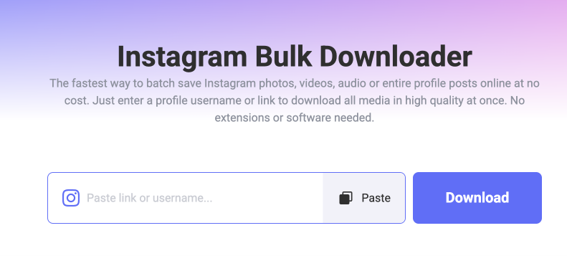
To use it, paste a public Instagram username or profile URL into the bulk downloader, let the available media load, then either select all posts to download in one batch or pick specific items individually. Files come through in their native quality, up to 4K where the source supports it, with no compression, watermark, or login required. This is the faster route whenever you are archiving a creator's full profile, backing up your own content, or pulling several clips for a report or compilation rather than repeating the copy-paste process for every single file.
Write in the End
A watermark-free MP4 no longer requires screen recording or settling for a stamped username in the corner of your file. Snapgram covers the fullest feature set with high resolution choice, batch downloads, and audio extraction in one tool, FastDL and INDownloader suit anyone who wants broad content type coverage, Trndinn is worth trying if a clean, ad-free interface matters most, and ReelsVideo fits casual downloads where 720p is good enough. For anything beyond a single clip, the bulk downloader route saves the most time. Whichever tool you land on, keep saved content for personal use and get permission before reposting anything you did not create yourself, and check back on a tool's quality cap before relying on it for anything you plan to repost somewhere image quality actually matters.
 Add as a preferred source on Google





 Portugal Handbook
 English
 Nederlands
 Deutsch
 Français
 Español
 Italiano
 Svenska
 Pусский
 中文
中文 Türkçe
 Português
 Czech
Czech Hungarian
 Polski
 عربي
عربي Suomi
Suomi עִברִית
 Português (Brasil)
Follow us on social media